Ultimate Free Temporary Email Guide 2026: Keep Your Privacy Online
Introduction
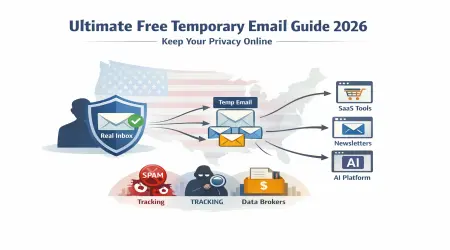
Alright, let’s be real for a second. You’ve signed up for something online, right? Maybe it was a free trial, or maybe you just needed to grab a discount, and then BOOM, your inbox is flooded with spam. All you wanted was one thing, but now your email is full of stuff you don’t care about.
That’s when I discovered temporary emails, and let me tell you, they're a lifesaver. You get what you need, and it’s gone. No spam, no unwanted stuff, just done.
What Is a Free Temporary Email?
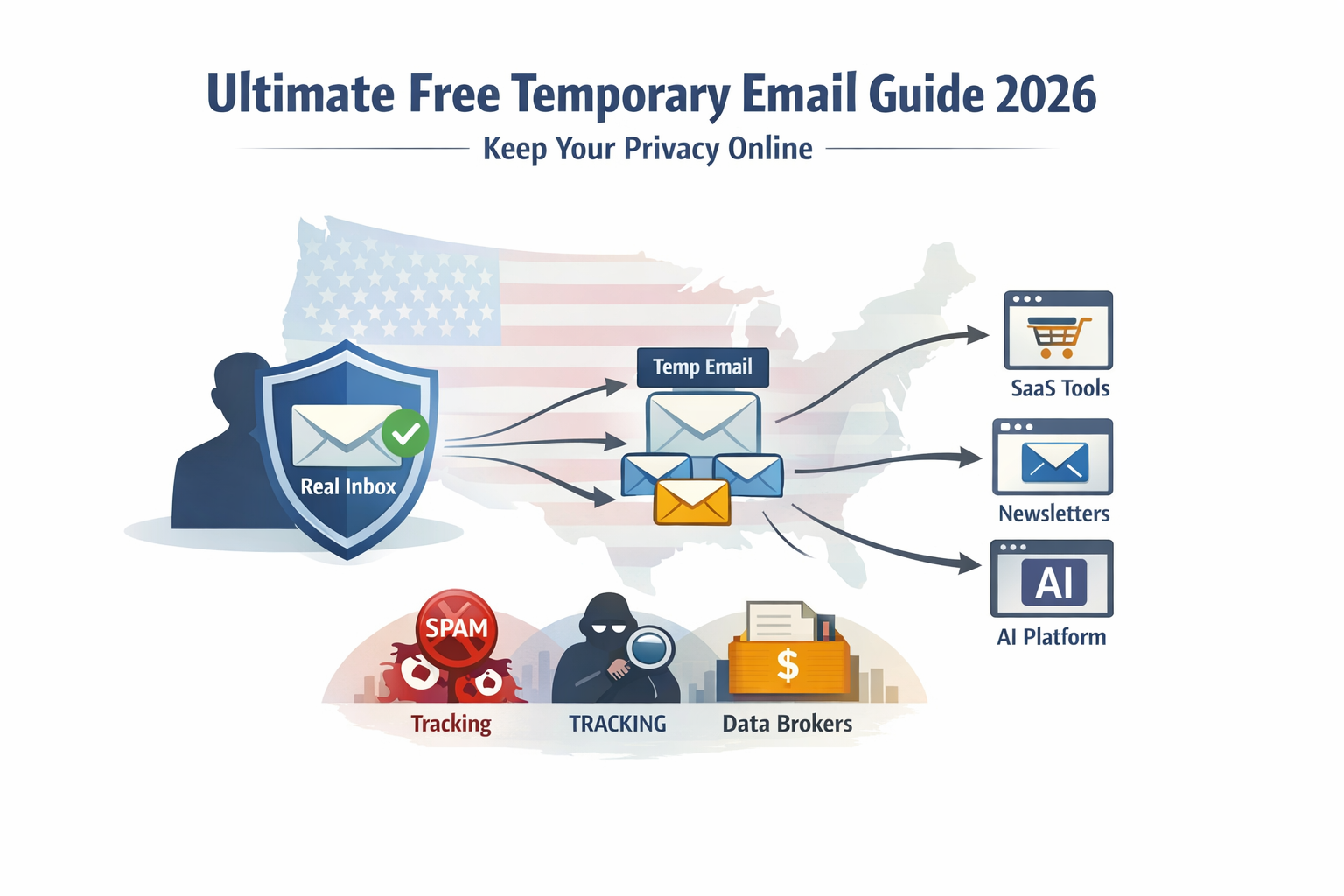
Okay, here’s the deal. A temporary email is a throwaway email address. You create it, use it for whatever you need, whether it’s a free trial, a quick download, or some offer, and then once you’re done, it disappears. That’s it. Gone. Like magic.
I use them for stuff I don’t need for long. Maybe a free trial or just signing up for a one-time offer. I get it, use it, and once it’s over, poof, I don’t have to think about it anymore.
Why Should You Care About Temporary Emails?
I hear you. “Why would I need a temporary email? I have my real one.” And sure, your real email works, but trust me, once you start using temporary emails, you’ll never want to go back. Here’s why:
1. No Spam
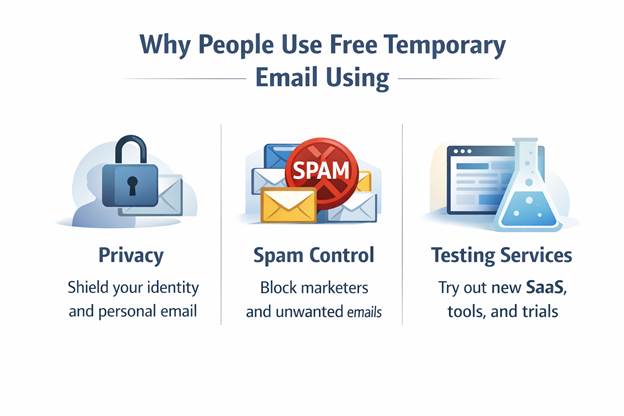
Let’s be honest, how many times have you signed up for something online, and then, bam, your inbox is packed with spam? Happens to everyone, right? Temporary emails stop that. You get what you need, and once you’re done, the email just expires. No spam, no extra email clutter.
2. Keep Your Real Email Safe
Think about it. Every time you use your real email online, there’s a chance someone’s selling it. With temporary emails, you get to keep your real email private. No one gets it. They don’t get added to your inbox, and they can’t sell it to marketers.
I don’t use my real email for anything random anymore. Temporary email = freedom.
3. Quick and Easy
Here’s what I love about them: they’re fast. You don’t have to sign up for anything, don’t have to make an account. Just generate the email, use it, and boom, you’re done. No long forms, no complicated sign-ups.
4. No Strings Attached
The best part? There’s no long-term commitment. You use the email, get the thing you need, whether it's a trial, a download, or just a deal, and when the email expires, you don’t have to deal with the follow-ups. No reminder emails. No upsells. It’s like you were never even there. No pressure, no clutter.
How a Free Temporary Email Works Behind the Scenes
Temporary email addresses are generated by server-based systems that assign random inboxes under pooled domains. Messages arrive instantly and stay temporarily. Each email automatically deletes based on timers. Providers ensure quick delivery without requiring registration.
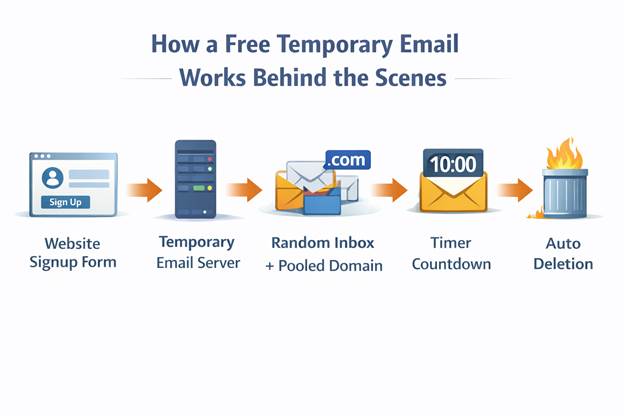
This method lets you get temporary emails right away. Messages stay on the server for a while, which can be as short as ten minutes or as long as a few days. The server connects mailboxes to their domains quickly and keeps users' identities secret at the same time. The server also gives each temporary mailbox a combined domain, which makes it even harder for marketers to keep track of them. Temporary mailboxes only work for a short time and keep spam from getting to your personal information. This design trades long-term reliability for speed and privacy, which is why these inboxes fail for account recovery, delayed verification, or any service that expects persistent ownership.
Because there is no ownership or recovery layer, once the timer ends, access is lost permanently, which is why these inboxes should never be tied to critical accounts.
This architecture explains why temporary inboxes are fast but unreliable for recovery; once the domain or mailbox expires, the system has no persistent ownership layer.
Free Temporary Email Vs Regular Email: Key Differences
Unlike permanent accounts, free one-time emails have no retrieval rights or long-term storage. Temporary mailboxes protect your primary address from spam while making it easier to use. Physical mail remains very important for banking, professional, and personal communication. By making the right choices, you can avoid losing access or blocking your services.
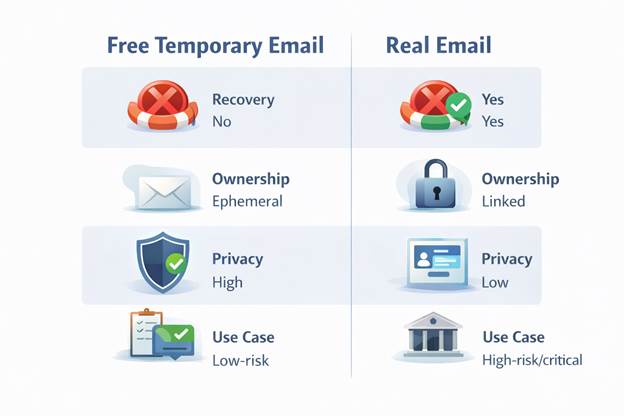
Feature | Temporary Email | Alias | Real Email |
Recovery | No | Yes | Yes |
Ownership | Ephemeral | Linked | Linked |
Privacy | High | Medium | Low |
Use Case | Low-risk | Medium | High-risk/critical |
When Should You Use Temporary Emails?
Alright, so now you’re probably wondering, when should you use these bad boys? Here are the best times to pull them out:
1. Free Trials and Sign-Ups
We’ve all been there: you sign up for a free trial, get the goods, and then get bombarded with sales emails. Temporary emails fix that. Sign up, get your trial, and when it’s over, boom, the email expires. Done.
2. Verifications and OTPs
Ever need to verify something online? Or get an OTP (one-time password)? You don’t need your real email for that. Just use a temporary email, get your code, and boom, it’s done.
3. Newsletters and Special Offers
Let’s be real, newsletters and special offers can be great, but they also end up clogging up your inbox. With temporary emails, you grab the deal, and once you’ve got it, the email expires. No spam. No follow-ups.
When Should You Avoid Using Temporary Emails?
Now, I love temporary emails, but they’re not for everything. Here’s when you don’t want to use them:
1. Banking or Financial Accounts
If you’re signing up for a bank account or credit card, you want real, permanent access. Temporary emails won’t work for this. You need a secure email for long-term stuff.
2. Healthcare or Sensitive Info
For anything like medical records or appointments, stick with your real email. You need access to that long-term. Temporary emails aren’t gonna cut it for sensitive info.
3. Legal or Government Services
The same goes for anything related to taxes, legal matters, or government services. These need long-term access, so stick with your real email.
How Long Do Temporary Emails Last?
You get to pick. Some last 10 minutes, others last a few days. Pick what works for you. If it’s a quick verification, go with the shorter one. If it’s for a free trial, you can choose longer.
What Happens After a Temporary Email Expires?
Once the email expires, it’s gone. All the messages are deleted, and the email itself is no longer valid. So, if you need something from it, save it before it expires. Otherwise, it’s just gone. Clean and easy.
How to Pick the Best Temporary Email Provider?
Here are a few I’ve used:
- Livetempmail: Super easy and quick.
- Guerrilla Mail: Lets you pick how long the email lasts.
Mailinator: Simple, no-fuss solution.
Why Some Websites Block Free Temp Emails
Using a generic domain automatically limits and frustrates real users.
Understanding blocking logic can help reduce failures. Some platforms require a persistent mailbox to recover your account. Ensuring the use of free temporary messaging is most effective when temporary access is tailored to the level of risk.
How Sites Detect Disposable Email Domains
Most large platforms rely on third-party reputation databases combined with MX record analysis and domain age scoring. Free temp email tool addresses may trigger pattern detection.
Automated systems cross-reference provider databases. Awareness prevents wasted attempts and informs the selection of trusted temp email sites.
Blacklists, Pattern Matching, and Reputation Scores
Reputation systems penalize shared inbox domains. Past abuse affects new users. Free temp emails can fail even if legitimate.
Pattern matching and domain scoring determine access. Understanding these mechanisms ensures informed, free disposable email use without repeated frustration.
OTP Temporary email
OTP verification is tricky. Some temporary emails offer free work for instant codes but fail with delayed delivery or banking systems.
In my own testing, OTP Temporary email worked only when the code arrived within one minute. Delays of even two minutes caused failures because the inbox expired or the session timed out. This makes temporary email unreliable for anything beyond low-value verification.
When OTP Works with Temporary Email and When It Fails
Instant delivery ensures OTP success. Delayed messages can fail if your inbox expires. Time is running out.
Temporary email addresses are free to use, making non-critical verification easier. In high-stakes scenarios, real-world accounts are required for security and recovery.
Why Banks and Big Platforms Usually Reject Them
Banks require recovery and compliance. Fraud systems block disposable inboxes. A free temp email is rarely accepted for financial services.
Compliance, regulations, and user protection outweigh convenience. Temporary emails are free for low-risk but not sensitive transactions.
Real Risks of Losing Access After Inbox Expiry
Expired inboxes destroy messages and accounts. Temporary emails free leave no recovery.
This risk is non-negotiable. Users need awareness before using free disposable emails for critical accounts.
Conclusion
Honestly, if you’re tired of spam, if you want to keep your real email safe, and just need quick access for something, temporary emails are the way to go. Whether it’s a free trial, a discount, or just verifying something online, it’s easy and fast.
Just remember: they’re perfect for one-time stuff. For long-term access, stick with your real email.
Next time you need to sign up for something, use a temporary email. It’s the easiest way to keep your inbox clean.