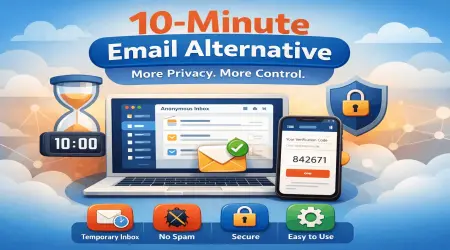
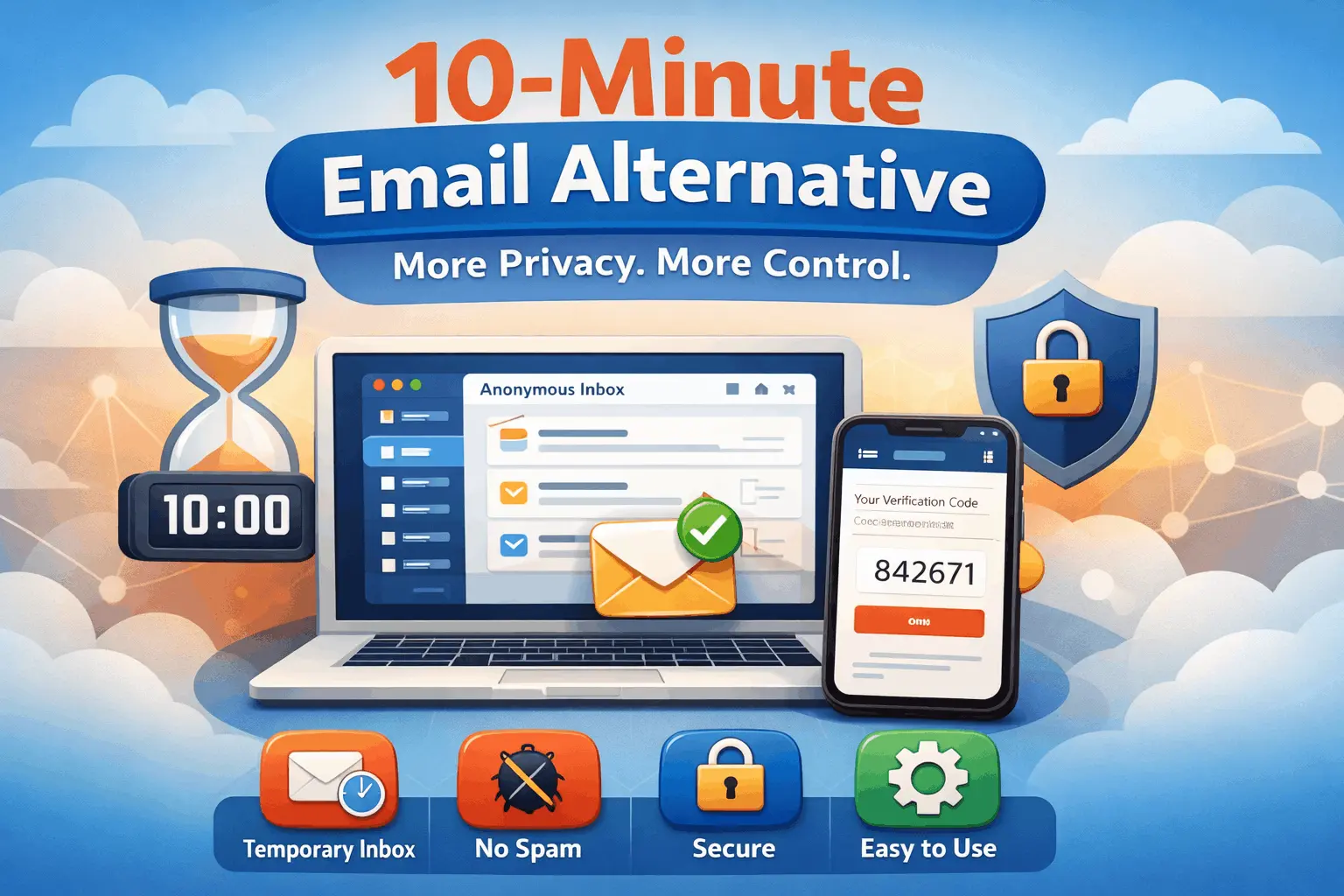
10-Minute Email Alternative: Why a Flexible Temporary Inbox Works Better
You are about to download an ebook, test a new tool, compare prices on a marketplace, or sign up for a service you may never use again. The form asks for your email address, and you pause. Not because it is hard to type, but because you already know what happens next. A few hours later, your primary inbox starts filling with welcome sequences, upsells, reminders, newsletters, and the occasional message you never consciously agreed to receive.
That is exactly why so many people search for a 10-minute email alternative.
At first glance, a disposable inbox with a short countdown sounds perfect. It gives you a quick address, receives a verification email, and disappears. Problem solved. But in practice, that rigid 10-minute window often creates a new problem. Verification codes arrive late. Sign-up flows take longer than expected. You get interrupted by a meeting, a phone call, or another browser tab. Then you come back and realize the inbox has expired. Now the “quick fix” becomes friction.
This is where a better temporary email experience matters. A good alternative should not just exist for a few minutes and vanish at the worst possible time. It should help users stay private, avoid spam, complete registrations smoothly, and manage one-time online interactions without stress. For readers who landed here while comparing temporary email tools, the real question is not whether disposable email works. It does. The real question is whether the old “10 minutes and done” model is still the most useful option. In many situations, it is not.
A smarter temporary email service gives you more control, more breathing room, and a more realistic fit for how people actually browse, test, register, and protect their privacy online. That is the angle we take at LiveTempMail: temporary email should feel fast and lightweight, but it should also feel usable.
In this guide, we will break down what people actually mean when they look for a 10-minute email alternative, where basic disposable inboxes fall short, what features matter most, and how to choose a temporary email service that works in the real world.
Why People Search for a 10-Minute Email Alternative
Most users do not begin with a deep technical interest in temporary email. They begin with a practical problem.
They want to do something online without turning their personal inbox into a permanent marketing target.
That might be:
- Signing up for a trial
- Accessing a coupon or promo code
- Downloading a free resource
- Testing a website or app
- Joining a forum one time
- Comparing services before committing
- Protecting a work inbox from clutter
- Avoiding spam from unknown sites
The original appeal of 10-minute inboxes came from simplicity. You get a random email address, wait for the incoming message, copy the code or click the link, and move on. But user behavior has changed.
Today’s sign-up flows are longer. Many sites add extra verification layers. Some confirmation emails are delayed. Some services send follow-up messages that matter after the first ten minutes, such as onboarding links, password setup emails, or account approval notices. In other words, the need is still temporary, but the interaction is no longer always instant.
That is why the search for a 10-minute email alternative has become more common. People still want the same privacy benefit, but they also want reliability. They want a temporary address that works with modern websites, not just old-school one-click signups. There is also another reason: trust.
The Core Problem With Fixed 10-Minute Inboxes
A countdown sounds efficient until real life gets involved.
Let’s say you sign up for a platform and the verification email does not arrive immediately. Maybe the website is slow. Maybe its mail server is delayed. Maybe the message lands after eight minutes, and you still have to create a password, complete a profile, and confirm a second email. Suddenly, your temporary inbox becomes a race against the clock.
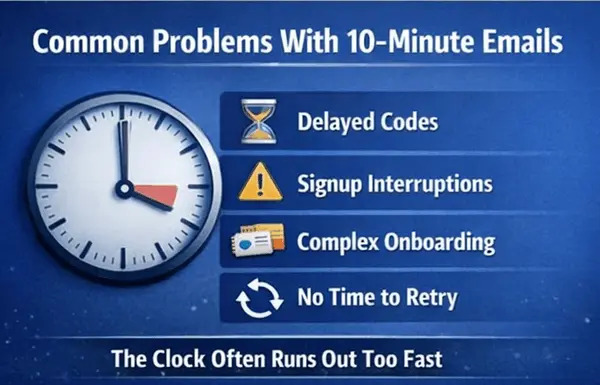
That is not just inconvenient. It defeats the purpose. A disposable email service should reduce friction, not add more of it. Here are the most common frustrations users face with rigid, short-expiry inboxes:
1. Delayed verification emails
Not every system sends instantly. Some platforms process signups in batches. Others route mail through third-party providers that introduce delays. When timing is tight, even a small delay can make the inbox useless.
2. Interrupted signup flows
People browse while multitasking. They switch tabs, answer messages, take calls, and compare options. A tool that assumes everyone will complete everything in ten uninterrupted minutes is built for an ideal scenario, not real behavior.
3. Multi-step onboarding
A lot of websites now require more than one interaction. You verify your email, set a password, confirm a preference, and maybe even wait for manual approval. A short-lived inbox may work for the first message but fail for the rest.
4. No room for retries
If a code fails or a page refreshes, users may need the email again. With a strict 10-minute limit, there is little room to recover from errors.
5. Poor fit for testing workflows
Developers, QA teams, and product testers often need more than a single verification. They may test password resets, onboarding emails, confirmation flows, and transactional messages. Ten minutes is often too restrictive for that kind of work.
This is why a flexible temporary inbox is not just a convenience upgrade. In many cases, it is the difference between completing the task smoothly and starting over from scratch.
What Makes a Good 10-Minute Email Alternative?
A strong alternative is not simply “longer than ten minutes.” That helps, but the best temporary email tools are designed around usability, privacy, and real-world scenarios.
Here are the features that matter most.
Instant email generation
Nobody wants extra steps. A good service should generate an address immediately so the user can copy it and move on.
Fast inbox refresh
The inbox should update quickly when verification emails arrive. Delays inside the temp mail service itself create unnecessary uncertainty.
Flexible usage window
A temporary email should stay available long enough for normal online behavior. Users should not feel pressured by an unrealistic countdown.
Easy readability
Messages should be simple to open, scan, and act on. Whether the email contains an OTP, a magic link, or a confirmation button, the user should be able to find it without friction.
Privacy-first design
The whole purpose of using a disposable address is to avoid exposing a primary inbox. A good tool should support anonymous, low-friction signups while helping users minimize data exposure.
Spam protection
Temporary email is not just about anonymity. It is also about keeping junk away from the inbox that matters most.
Practical reliability
This is a big one. The service should work when users need it, not just in theory. If it regularly fails during common sign-up flows, it is not a real alternative.
10-Minute Email vs. Flexible Temporary Email
The fastest way to understand the difference is to compare the experiences side by side.
| Feature | Traditional 10 - minute inbox | Flexible Temporary email service | Why it matters |
| Inbox Lifespan | Very short, fixed | More practical time window | Reduces presuure and failed signups |
| Verification reliability | Risky if emails are delayed | Better suited for real delays | Improves completion rate |
| Multi step signups | Often frustrating | More manageable | Useful for modern onboarding flows |
| Retrying codes or links | Limited | Easier | Helps when pages refresh and code expires |
| Spam Protection | Yes | Yes | Both help keep you real inbox clean |
| Privacy | Good | Good | Both reduce the direct exposure of your primary email |
| Usability | Rush-based | User-friendly | Better overall experience |
| Testing workflows | Weak for repeated steps | Far more practical | Helpful for QA, dev, and product teams |
| Everyday convenience | Hit or miss | More dependable | Works better for real browsing habits |
Real-Life Situations Where a Better Alternative Makes a Difference
The phrase 10-minute email alternative sounds niche until you look at the situations where people use it. Then it becomes obvious that a flexible temporary email is relevant to a lot of everyday behavior.
Signing up for tools you are only evaluating
Maybe you are comparing project management tools, AI apps, browser extensions, or SaaS products. You do not want five companies sending weekly nurture campaigns to your main inbox just because you looked around.
A temporary inbox lets you explore freely.
Accessing one-time offers
Discount codes, gated downloads, webinar replays, and lead magnets often require an email. Some are useful. Many are not worth a permanent subscription to yet another list.
Joining communities or forums
Sometimes you want to read one thread, ask one question, or unlock one resource. That does not always justify opening the door to long-term email clutter.
Testing a product or form
If you build websites, apps, landing pages, or signup flows, temporary inboxes are incredibly useful. You can test confirmation emails, failed retries, magic links, and password resets without using your personal or company inbox.
Protecting your primary identity
This is one of the most overlooked reasons. Your email address is often tied to your name, work, shopping behavior, and online history. Keeping it private in low-trust scenarios is simply good digital hygiene.
Avoiding “soft spam.”
Not all unwanted email is obvious spam. Sometimes it is a sequence of “helpful” reminders that slowly eats your attention. A temporary address prevents that slow drip from reaching your main inbox.
These use cases show why disposable email continues to matter. But they also show why users outgrow rigid 10-minute models. The need is not just temporary. It is temporary plus practical.
Why LiveTempMail Works as a Smarter Alternative?
There are many disposable inbox tools online, so what actually makes one worth using? The answer is usually not a flashy promise. It is the user experience.
A useful temporary email service should feel light, fast, and simple, but it should also handle the messy realities of modern sign-up flows. That is where LiveTempMail stands out as a practical alternative. Here is the key difference in mindset: instead of treating temporary email as a novelty, LiveTempMail treats it as a utility. That means the goal is not just to give users an address that expires quickly. The goal is to help them complete real tasks with less friction.
It supports the way people actually browse
Online actions rarely happen in a straight line anymore. Users open multiple tabs. They compare services. They come back later. They wait for delayed emails. They request a second code because the first one expired. A useful temporary email tool has to accommodate that behavior.
It reduces unnecessary exposure
Every time you give your personal email to an unfamiliar site, you increase the chance of future clutter. LiveTempMail helps users keep those low-commitment interactions separate from the inbox they depend on daily.
It keeps the experience simple
A good temp inbox should not need a tutorial. It should be obvious, immediate, and functional. That simplicity is part of the value.
It is practical for individuals and teams
Casual users need quick privacy. Developers and testers need repeatable workflows. Marketers and researchers may need to inspect sign-up flows without polluting a work inbox. A flexible service can support all of these cases better than a rigid, countdown-only tool.
In content terms, that is why LiveTempMail is not just another disposable email generator. It is a more usable answer to the same problem. And that is exactly what searchers are trying to find when they type “10-minute email alternative.”
Temporary Email Is Useful, But It Is Not for Everything
Part of writing a trustworthy article is being honest about limitations.
Disposable email is excellent for low-risk, one-time, low-commitment interactions. It is not the right choice for every account.
You should not rely on a temporary email for:
- Banking or payment accounts
- Medical portals
- Government services
- Legal communications
- Essential work accounts
- Long-term subscriptions you truly want to keep
- Accounts where future account recovery matters
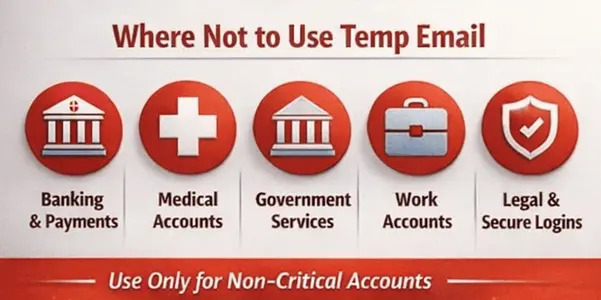
Why? Because a temporary inbox is designed for short-term access, not permanent account management. That may sound obvious, but it is exactly the kind of clarity that improves trust. The value of a tool goes up when users understand both what it does well and where it should not be used.
In other words, a temporary email is powerful when paired with good judgment. Use it where privacy and convenience matter. Do not use it where continuity, security, and account recovery are essential.
The Privacy Advantage Most People Underestimate
Many people think a temporary email is only for dodging spam. That is a big benefit, but it is not the only one.
Your email address has become a core identity signal online. It connects your purchases, subscriptions, logins, social profiles, and often your real name.
It limits your data footprint
When a temporary address is used for a low-trust or one-time interaction, your primary email stays out of yet another database.
It reduces profiling opportunities
Some companies build rich profiles based on contact information and repeated interactions. Keeping exploratory signups separate can help reduce that tracking.
It gives you cleaner digital boundaries
Not every website deserves permanent access to your attention. Temporary email lets you decide which relationships move into your real inbox and which ones stay temporary.
It protects your focus
Inbox overload is not just an annoyance. It affects concentration. Important emails get buried. Useful alerts become harder to spot. Temporary email acts like a filter before messages reach your main communication channel.
This is one reason disposable inboxes remain popular even among people who are very organized. It is not laziness. It is boundary-setting.
How Developers, QA Teams, and Product Testers Benefit
This topic is often written only for casual users, but there is a technical side too.
In development and testing environments, a temporary email can be surprisingly valuable.
Imagine you are working on:
- Account creation flows
- Password reset emails
- Welcome sequences
- Double opt-in confirmation
- Transactional email testing
- User onboarding paths
- Referral invite systems
Using a personal inbox for all of that becomes messy very quickly. Temporary email helps teams isolate scenarios, reduce clutter, and run faster tests.
Here is where a flexible service beats a rigid 10-minute inbox again.
Better for repeated testing
A team may need to trigger multiple emails for the same workflow. A short expiry can interrupt the process before the test is complete.
Easier debugging
If a confirmation email arrives late or fails once, testers may need to retry without losing the inbox.
Cleaner separation of environments
Temporary inboxes help separate staging, QA, and exploratory tests from real communication channels.
Faster validation of user journeys
Instead of creating endless permanent test accounts, teams can move through sign-up and recovery flows more efficiently.
This is a strong semantic angle for the article because it broadens the search intent. Not everyone looking for a 10-minute email alternative is simply avoiding newsletters. Some are solving workflow problems.
Common Mistakes People Make With Temporary Email
Even good tools become frustrating when used the wrong way.
Here are some common mistakes that cause avoidable issues.
Mistake 1: Using a temp email for important accounts
If you may need long-term access, use a real inbox. Temporary email is for disposable interactions, not core identity accounts.
Mistake 2: Expecting every site to behave the same
Some websites send codes instantly. Others are slow. Some block certain disposable domains. Choosing a more flexible alternative helps, but user expectations still matter.
Mistake 3: Closing the flow too early
Sometimes users grab the first confirmation email and assume they are done, only to realize another step follows. It is wise to keep the temporary inbox available until the whole process is complete.
Mistake 4: Confusing privacy with invisibility
Temporary email improves privacy, but it does not make someone invisible online. Your IP, browser, device behavior, and account activity can still create traces. Use temp mail as one layer of privacy, not the only one.
Mistake 5: Ignoring basic security judgment
If a site looks suspicious, a temporary email may protect your inbox, but it does not automatically make the interaction safe. Always apply common sense.
These points help keep the article balanced, useful, and grounded in real user behavior.
Is a Longer-Lasting Temp Inbox Always Better?
Not necessarily.
This is another point worth handling honestly. Longer is not automatically better if the service becomes cluttered, confusing, or difficult to use. The real goal is not maximum duration. The goal is the right amount of flexibility for normal behavior.
Users generally want three things at once:
- fast access
- short-term privacy
- enough time to finish the task
A well-designed temporary email service balances those three. It stays lightweight, but it does not disappear before the user is done. That is why the best 10-minute email alternative is not defined by one number. It is defined by how well it fits common online tasks.
Best Practices for Using Temporary Email Safely
A few practical habits can make the experience better and safer.
Use it for low-commitment interactions
This includes trials, gated content, comparisons, or one-time registrations where long-term communication is not necessary.
Finish the full signup flow before leaving
Do not stop after the first email if the platform has extra setup steps.
Avoid using a temp email for critical recovery paths
If the account matters later, choose an email you can access again.
Stay alert to suspicious websites
Temporary email protects your inbox, but it does not verify the trustworthiness of the site itself.
Separate exploration from commitment
This is the healthiest mindset. Temporary email is best used when you are exploring, testing, or protecting your main inbox from low-value noise.
Frequently Asked Questions
What is a 10-minute email alternative?
A 10-minute email alternative is a temporary email service that offers the same privacy and spam protection benefits as a short-lived disposable inbox, but with a more practical and flexible experience. It is designed to help users complete signups, receive verification emails, and avoid inbox clutter without rushing against a strict countdown.
Why do people look for alternatives to 10-minute email services?
Most people search for alternatives because fixed 10-minute inboxes can expire too quickly. Delayed verification emails, multi-step onboarding, and interrupted browsing sessions often make a rigid countdown frustrating.
Is a temporary email safe to use?
Temporary email is generally safe for low-risk, short-term online interactions such as free trials, gated downloads, testing, or one-time signups. It should not be used for banking, healthcare, legal services, or any account where long-term recovery and secure access matter.
Is LiveTempMail a good option for avoiding spam?
Yes. LiveTempMail is useful for keeping spam, marketing sequences, and low-value follow-up emails away from your main inbox. It helps create a clean boundary between exploratory signups and important personal or work communication.
Can developers use a temporary email for testing?
Absolutely. Developers, QA teams, and product testers often use temporary inboxes to validate sign-up flows, email confirmations, OTP messages, onboarding journeys, and password resets without filling permanent inboxes with test emails.
What is the difference between a disposable email and a temporary email?
In most cases, the terms are used interchangeably. Both refer to short-term email addresses designed for one-time or limited use. The main differences usually come down to the features, usability, and flexibility of the service.
When should I avoid using a temporary email address?
Avoid using a temporary email address for accounts you may need later, including financial services, important subscriptions, work-critical tools, and any login where future account recovery could become important.
Final Thoughts
The best alternative is not the one with the loudest promise. It is the one that helps you complete the task, protect your privacy, and avoid turning a quick signup into long-term inbox clutter. That is why a flexible temporary inbox makes more sense than a rigid 10-minute model for many users. If all you need is one instant email and everything works perfectly, a short countdown inbox may be enough. But the web rarely works that neatly anymore. Emails arrive late. Signups take longer. Verification comes in steps. Testing requires retries. Real users need more than a timer.
They need a tool that fits real behavior. That is where LiveTempMail becomes a strong answer for anyone looking for a 10-minute email alternative. It keeps the core benefit people want, privacy, speed, and spam control, while offering a smoother, more practical experience for real-world signups and testing flows.
And ultimately, that is what a temporary email should do: remove friction, not create more of it.